Error Message Example 1
For instance, in the slow_add example mentioned in T1-2, you might omit some conditions when writing the invariant for the first time. The following invariant is missing information about x@pre and y@pre.
int slow_add(int x, int y)
  /*@ Require
        0 <= x && x <= 100 &&
        0 <= y && y <= 100
      Ensure
        __return == x + y
   */
{
  int i;
  /*@ Inv Assert
        y == y@pre + i && x == x@pre &&
        0 <= i && i <= x@pre
   */
  for (i = 0; i < x; ++ i) {
    y ++;
  }
  return y;
}
In this case, the IDE displays the following error:
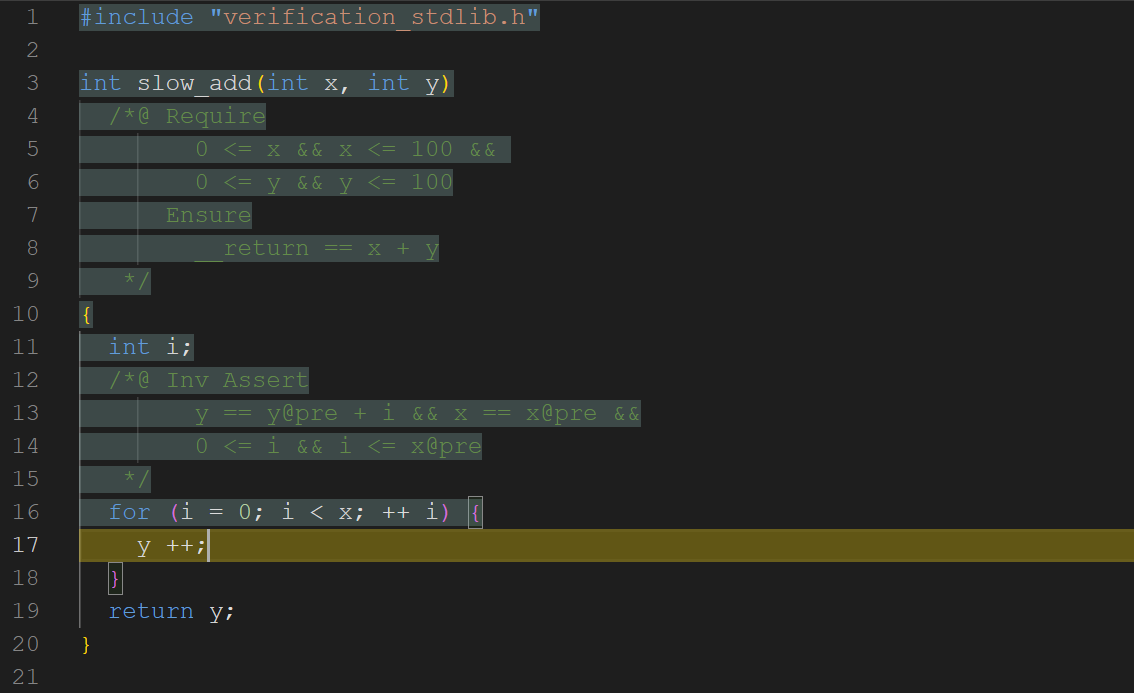
The yellow highlight indicates that the relevant property could not be verified automatically. What condition needs to be checked at the y ++ line? Here, the variable y is a signed integer, so it is necessary to check whether the y ++ operation would cause signed integer overflow. If you hover over the yellow highlight in the IDE, it displays:
i_51 < x@pre && y_50 == y@pre + i_51 && 0 <= i_51 && i_51 <= x@pre
|-- y_50 + 1 <= 2147483647 && -2147483648 <= y_50 + 1
Here, i_51 and y_50 represent the values of variables i and y upon entering the loop this time. The check is therefore whether y_50 + 1 falls within the range of signed 32-bit integers. In this error message, the symbol |-- can be read as "entails": the left side contains the premises, and the right side contains the property to be checked. From this error message, we can see that while y_50 == y@pre + i_51 and i_51 < x@pre are known, the lack of range information for x@pre and y@pre makes it impossible to conclude that y_50 + 1 is within the 32-bit signed integer range. You might think that since x@pre and y@pre are values fixed from the very beginning, and the precondition already specifies their range, they should be known to remain within that range throughout. In the future, we will introduce how to omit such information from QCP assertions and let QCP fill it in automatically.
Error Message Example 2
The following invariant is missing information about the variable x.
int slow_add(int x, int y)
  /*@ Require
        0 <= x && x <= 100 &&
        0 <= y && y <= 100
      Ensure
        __return == x + y
   */
{
  int i;
  /*@ Inv Assert
        y == y@pre + i &&
        0 <= i && i <= x@pre &&
        0 <= x@pre && x@pre <= 100 &&
        0 <= y@pre && y@pre <= 100
   */
  for (i = 0; i < x; ++ i) {
    y ++;
  }
  return y;
}
For this invariant, the IDE shows a red highlight. A red highlight indicates that the QCP tool cannot even successfully reduce the program's safety specification to a set of assertion entailment conditions to be checked. In the previous example, the yellow highlight meant that QCP was at least able to reduce the program's safety to some assertion entailment conditions, but some of them could not be verified automatically.
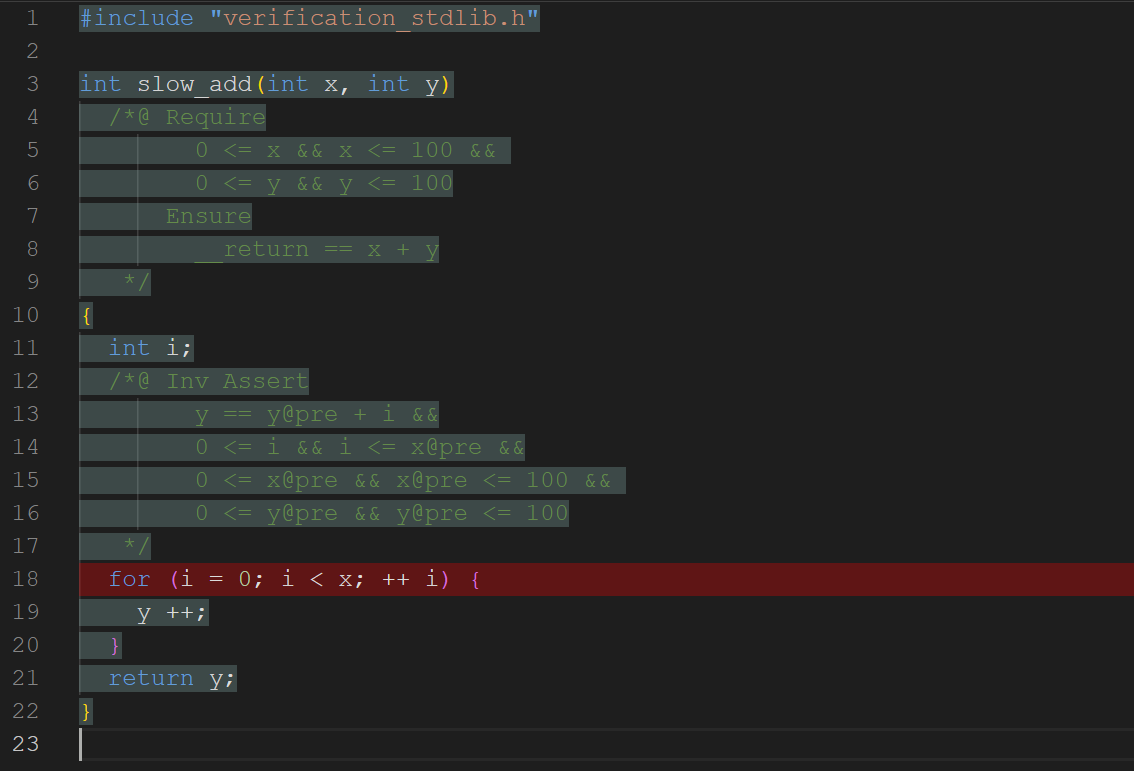
In this example, if you hover over the red highlighted area, you will see the error message Error: cannot find the program variable x(39) in assertion. This error occurs because the for loop's condition i < x requires read access to both variables i and x, and since the invariant does not mention x, it cannot guarantee that the program variable x has been initialized.
Viewing QCP's Current Derivation Results at Any Point
Below is the proof of slow_add with the correct invariant. In the IDE, you can move the cursor to any position at any time and press Ctrl+Right to inspect the execution state of the program up to the cursor position. The right panel of the IDE will also display the properties that the program state satisfies at the cursor position, as derived by QCP.
int slow_add(int x, int y)
  /*@ Require
        0 <= x && x <= 100 &&
        0 <= y && y <= 100
      Ensure
        __return == x + y
   */
{
  int i;
  /*@ Inv Assert
        y == y@pre + i &&
        x == x@pre &&
        0 <= i && i <= x@pre &&
        0 <= x@pre && x@pre <= 100 &&
        0 <= y@pre && y@pre <= 100
   */
  for (i = 0; i < x; ++ i) {
    y ++;
  }
  return y;
}
For example, when the cursor is positioned before the y ++ instruction, QCP provides the following real-time feedback:
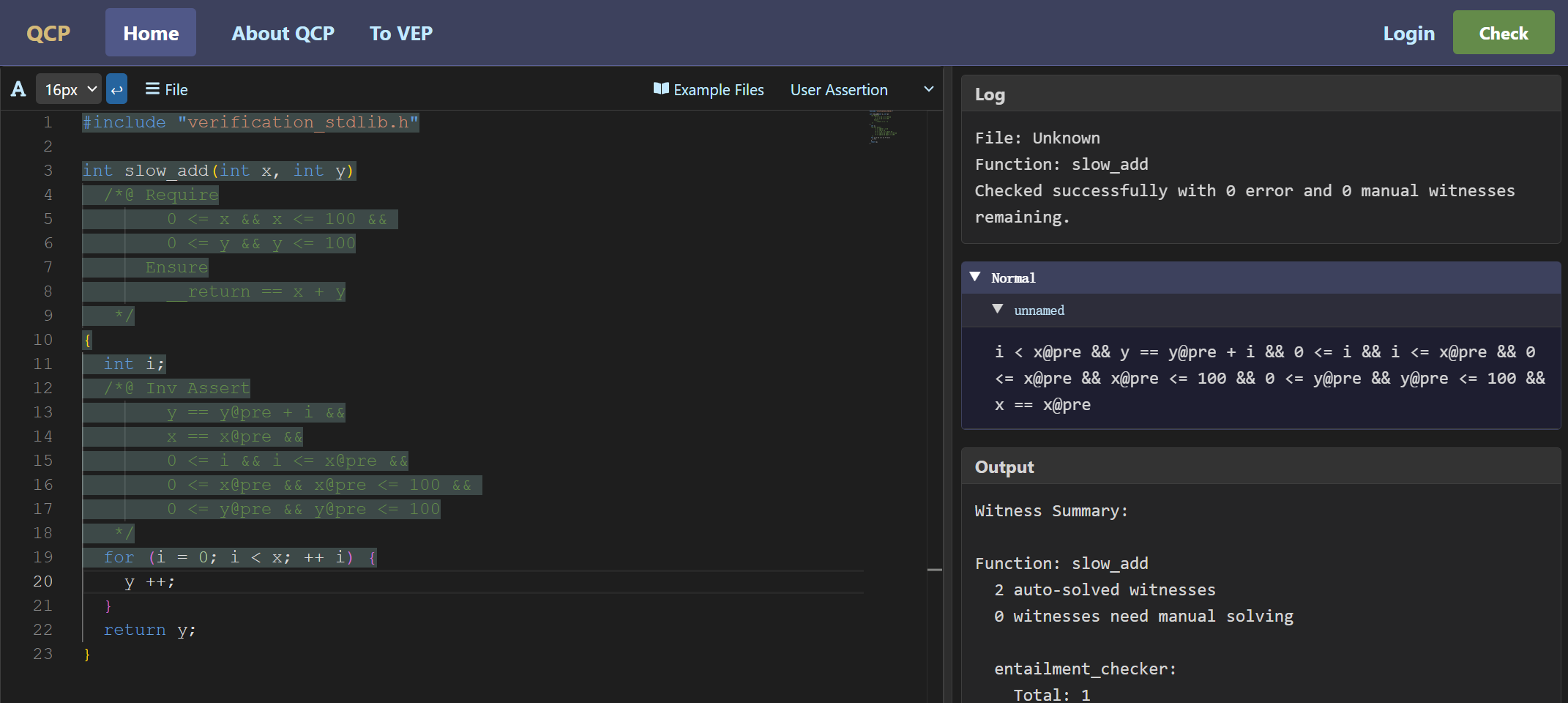
This is the assertion shown in the IDE's right panel, indicating that the program point at the cursor position satisfies the following property:
i < x@pre && y == y@pre + i && 0 <= i && i <= x@pre && 0 <= x@pre && x@pre <= 100 && 0 <= y@pre && y@pre <= 100 && x == x@pre
This property is essentially the loop invariant plus i < x@pre. This additional property holds because for the program to enter the loop body, the state must have passed the check of the condition i < x. The process of "deriving, from previously annotated assertions, the conditions that the program state should satisfy at the current position and expressing them also as assertions" is called symbolic execution. This is because it resembles program execution: ordinary program execution transforms one program state into another, while symbolic execution transforms one program assertion into another.
Here is another example. When the cursor is positioned after the y ++ instruction and Ctrl+Right is pressed, QCP provides the following assertion feedback:
exists y_50, i < x@pre && y_50 == y@pre + i && 0 <= i && i <= x@pre && 0 <= x@pre && x@pre <= 100 && 0 <= y@pre && y@pre <= 100 && (y == y_50 + 1) * (x == x@pre)
This states that the current value of program variable y equals its previous value y_50 plus one, i.e., y == y_50 + 1. The asterisk connecting two propositions in this assertion is a special logical connective in QCP, which will be explained in detail in future tutorials. For now, it can simply be read as "and". Additionally, if the feedback you see in the web-based IDE differs from the above, please check the upper-right corner of the left code panel to confirm that the feedback mode is set to "user assertion" rather than "internal assertion".