Symbolic Execution of a Simple while Loop
In general, every loop should be equipped with a loop invariant.
int slow_sub(int x, int y)
  /*@ Require
        0 <= x && x <= 100 &&
        0 <= y && y <= 100
      Ensure
        __return == x - y
   */
{
  /*@ Inv Assert
        y >= 0 &&
        y - x == y@pre - x@pre &&
        0 <= x@pre && x@pre <= 100 &&
        0 <= y@pre && y@pre <= 100
   */
  while (y != 0) {
    x --;
    y --;
  }
  return x;
}
The invariant placed at the beginning of the while loop states that before each test of the loop condition y != 0, the program state satisfies the assertion. When symbolic execution first enters the loop, QCP symbolically executes this assertion before evaluating the loop condition. After the loop body finishes, QCP symbolically executes the invariant again before the next conceptual condition check.
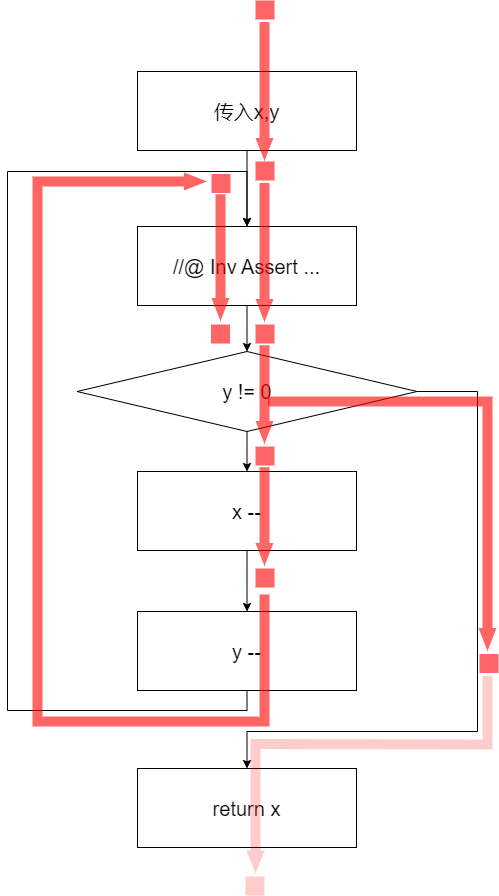
These steps resemble actual execution. The key difference is that symbolic execution does not execute the condition and the loop body again and again. The loop body above may run many times at runtime, but during symbolic execution it is executed only once. The following diagrams compare symbolic execution and actual execution.
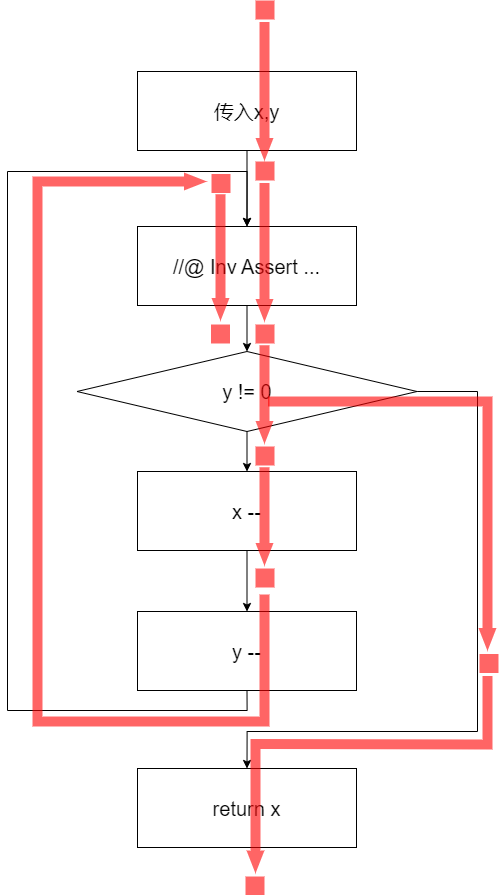
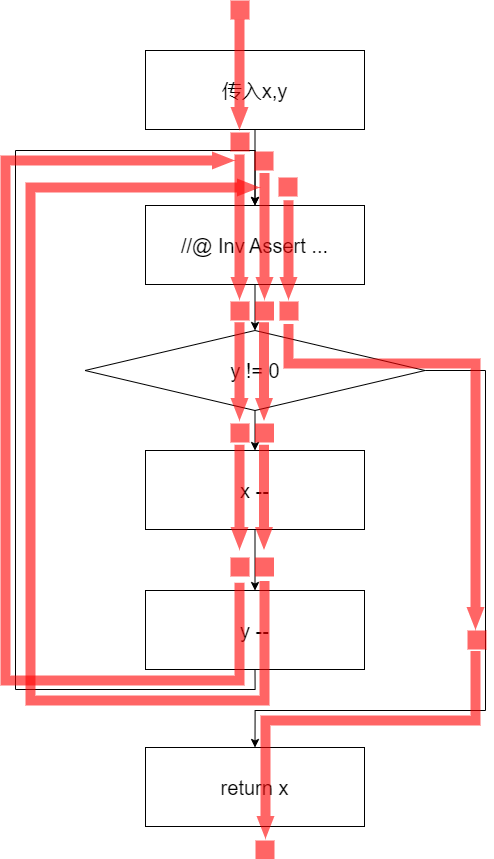
The symbolic execution of this while loop has two branches: one where the loop condition is true and the loop body is executed, and one where the loop condition is false and execution continues after the loop.
Viewing Symbolic Results Before the Loop Is Complete
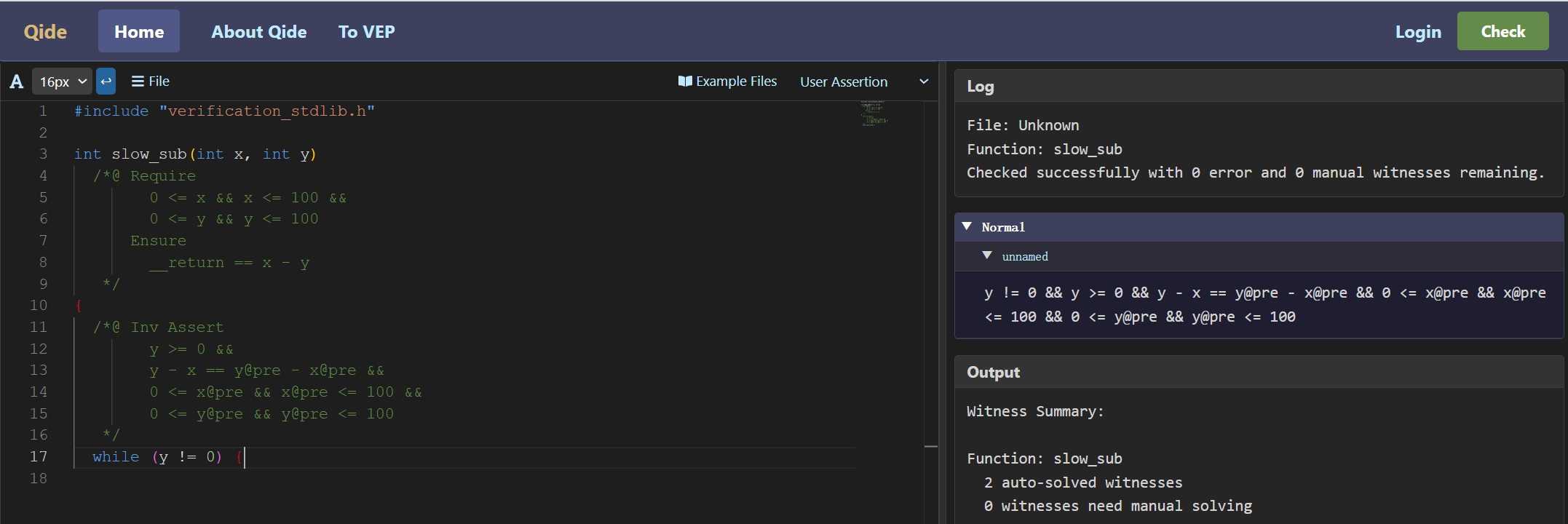
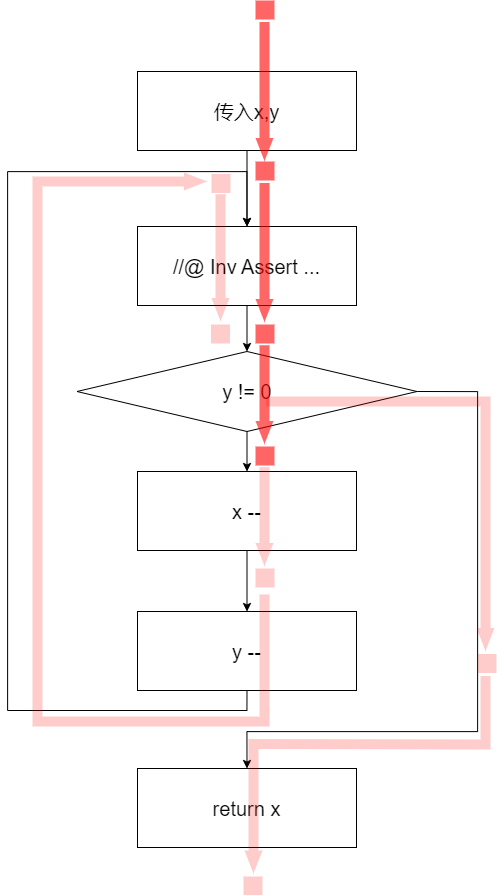
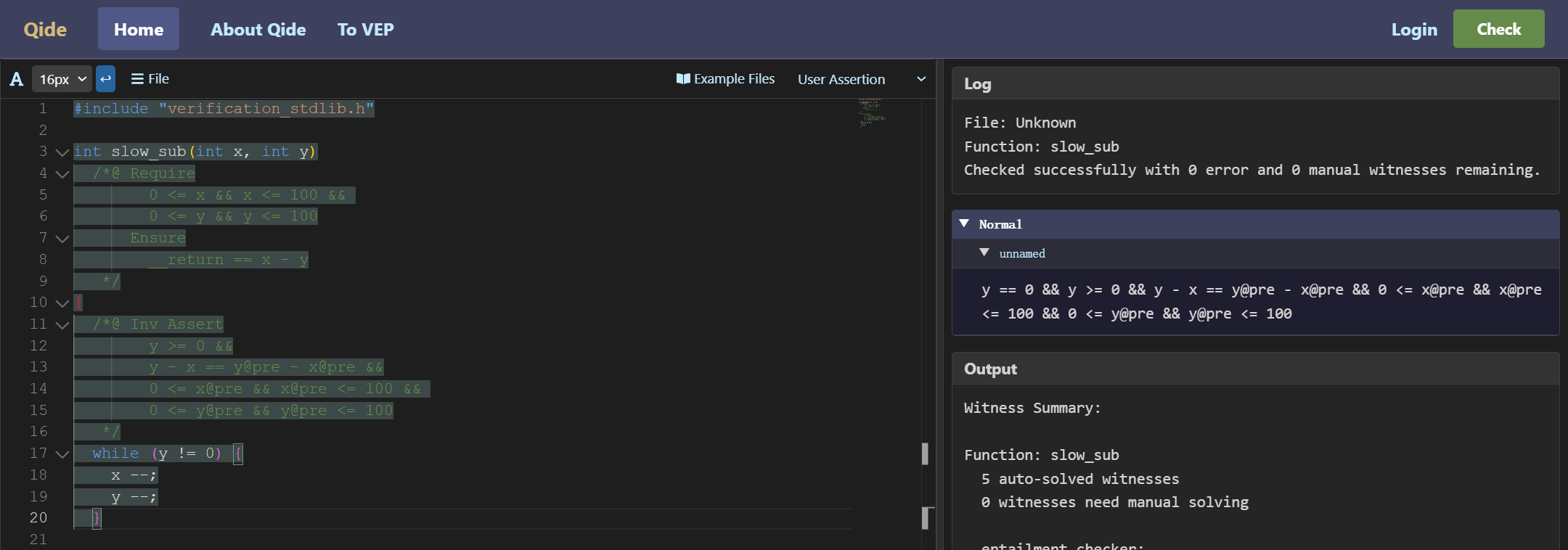
When using QCP, you do not need to finish writing an entire loop before viewing symbolic execution results. The following screenshots show three intermediate states and their relation to the control-flow graph.
First, after typing the while condition:
Second, after typing the first statement in the loop body, x --;:
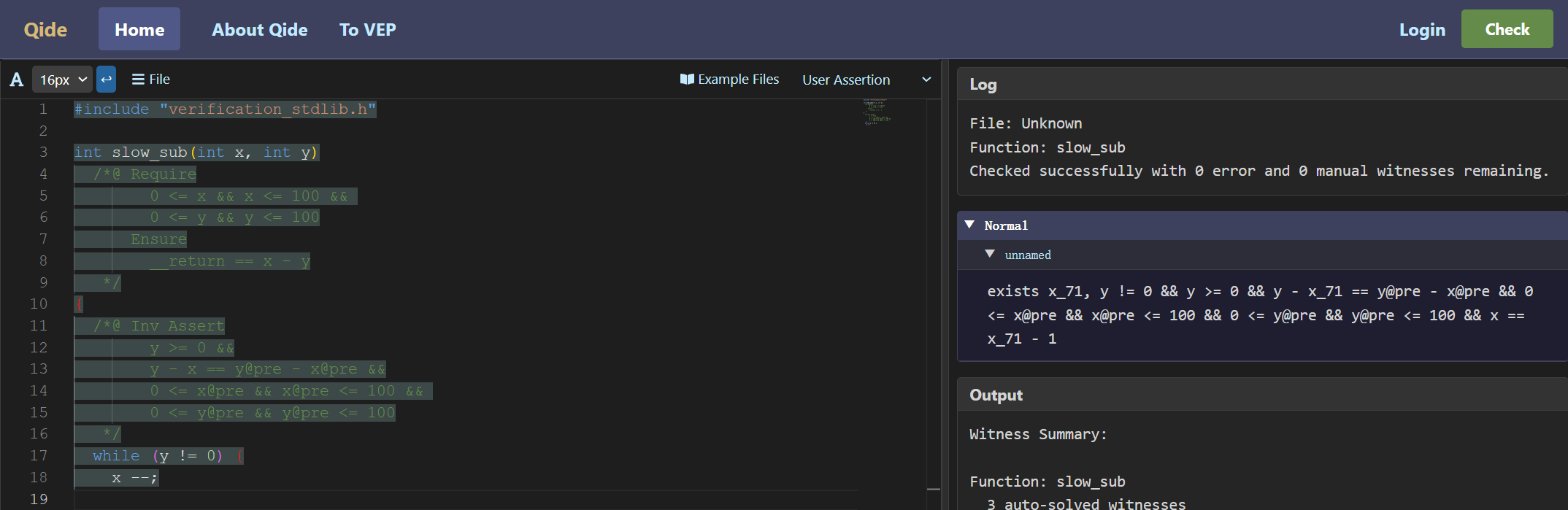
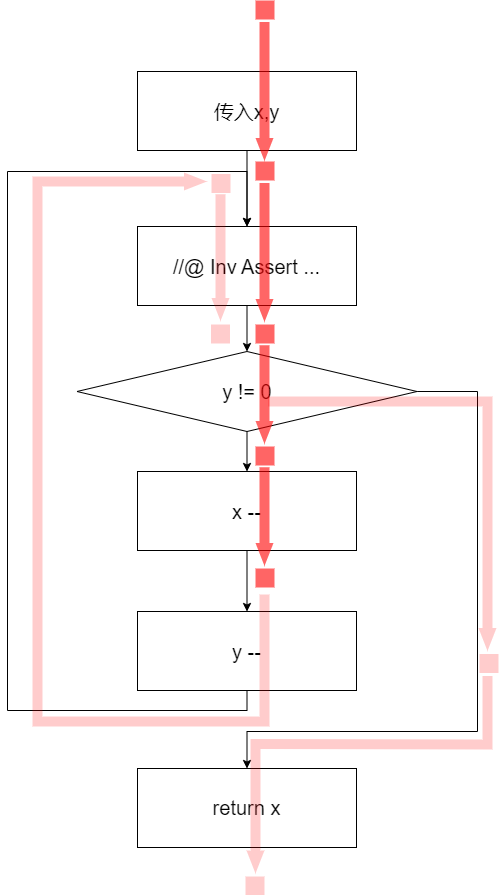
Third, after typing the second statement, y --;:
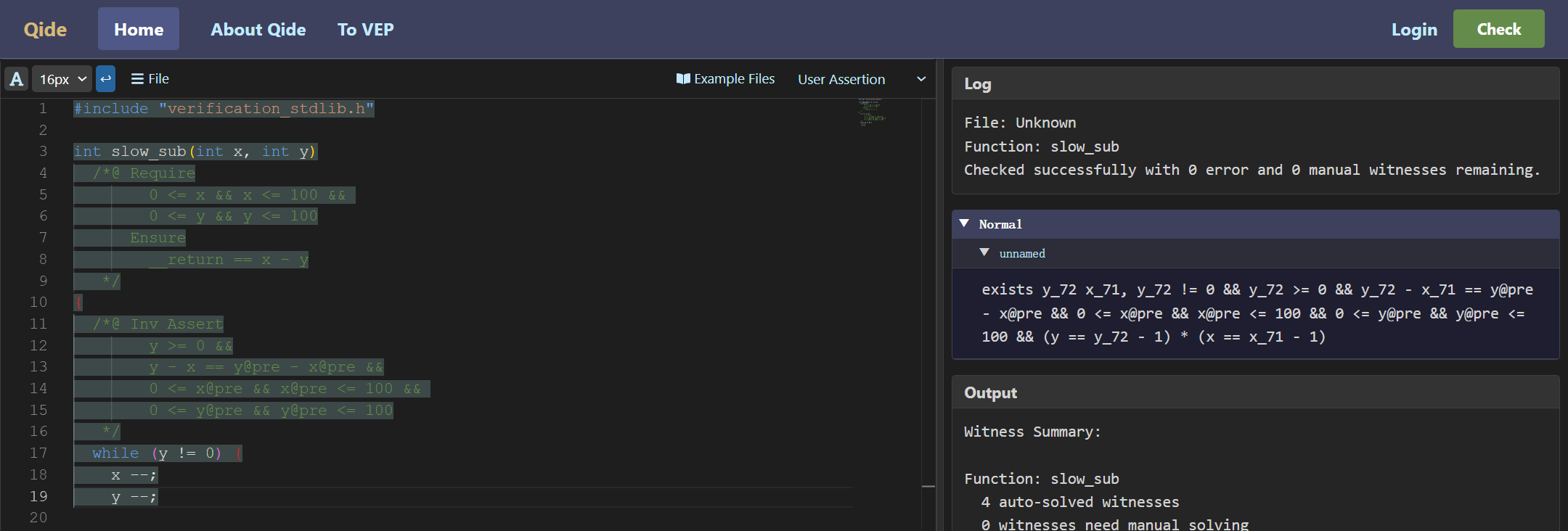
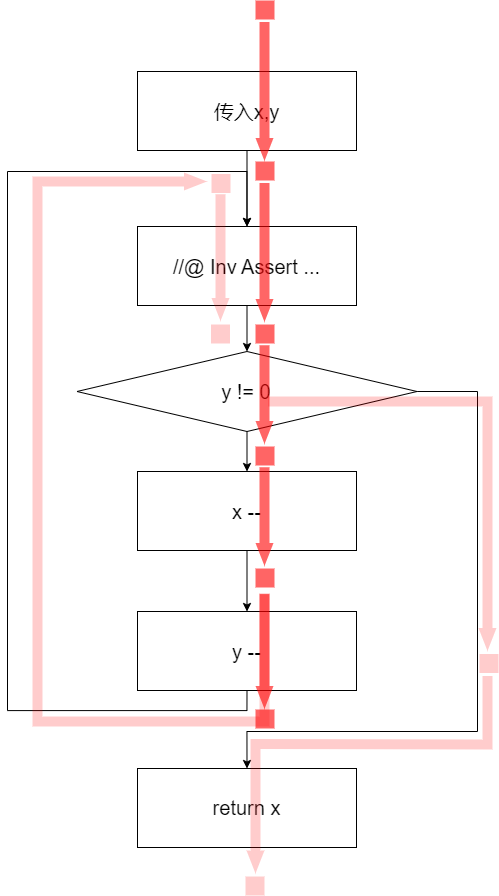
Finally, after typing the closing brace of the loop body, QCP can show the symbolic execution result for the whole loop.
Symbolic Execution of a Simple for Loop
A C for statement contains an initialization expression, a condition expression, and an update expression. In QCP, the invariant of a for loop describes the common property of program states before each evaluation of the loop condition. Because a for loop executes its initialization expression before checking the condition, QCP does not require the state before the for statement to satisfy the loop invariant. It requires the state after the initialization expression to satisfy the invariant.
int slow_sub_for(int x, int y)
  /*@ Require
        0 <= x && x <= 100 &&
        0 <= y && y <= 100
      Ensure
        __return == x - y
   */
{
  int i;
  /*@ Inv Assert
        y == y@pre && i >= 0 && i <= y &&
        x == x@pre - i &&
        0 <= x@pre && x@pre <= 100 &&
        0 <= y@pre && y@pre <= 100
   */
  for (i = 0; i < y; ++ i) {
    x --;
  }
  return x;
}
In this example, the invariant before the for loop says that the state always satisfies the assertion before testing i < y. Before the for statement executes, variable i has not yet been initialized, so the current state does not satisfy i >= 0 && i <= y. QCP's symbolic result reflects this with has_permission(&i).
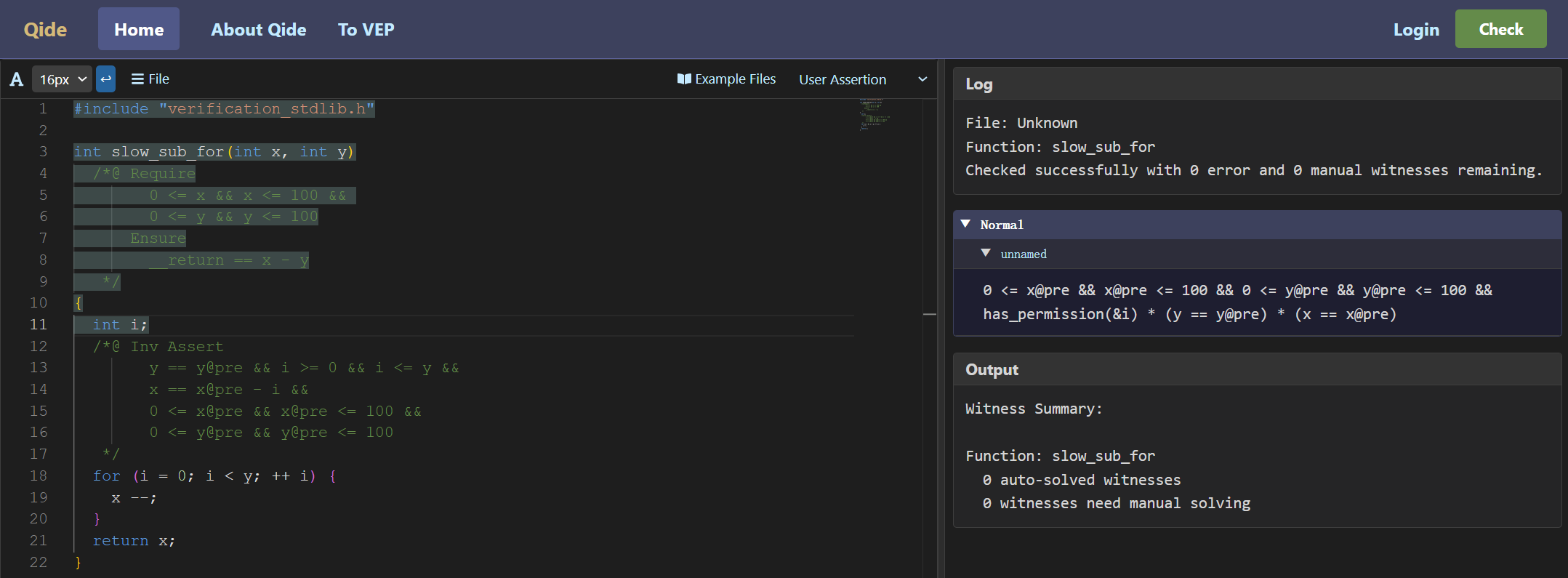
When processing a for statement, QCP first symbolically executes the initialization expression, then the loop invariant assertion, and then the loop-condition expression, generating VCs as needed. It then symbolically executes the loop body and update expression on the branch where the condition is true, and the statements after the loop on the branch where the condition is false. This is similar to symbolic execution of a while loop.
Symbolic Execution of a do-while Loop
int countTo10()
  /*@ Require
        emp
      Ensure
        __return == 10
   */
{
  int y = 0;
  do {
    y ++;
  }
  /*@ Inv Assert y <= 10 */
  while (y != 10);
  return y;
}
For a C do-while loop, QCP requires the invariant annotation after the loop body and before the do-while condition. The invariant describes the property that holds before each evaluation of the condition. QCP first symbolically executes the loop body, then the invariant assertion and its VCs, and then the condition. It then symbolically executes the loop body a second time, followed by the invariant a second time, producing another VC.
Loops with break, continue, and return
C loops can contain break, continue, and return statements that change control flow. QCP's treatment of return has already been introduced. The following example contains a break inside a while loop.
int while_break(int x, int y)
  /*@ Require
        0 <= x && x <= 100 &&
        0 <= y && y <= 100
      Ensure
        0 <= __return && __return <= 100
   */
{
  /*@ Inv Assert
        x <= 100 && y <= 100 && x >= 0 && y >= 0
   */
  while (x < 100) {
    ++ x;
    if (y == 100) {
      break;
    }
    ++ y;
  }
  return x + y - 100;
}
QCP combines symbolic results from break statements with the result from the false loop condition as the symbolic execution result of the whole while statement.
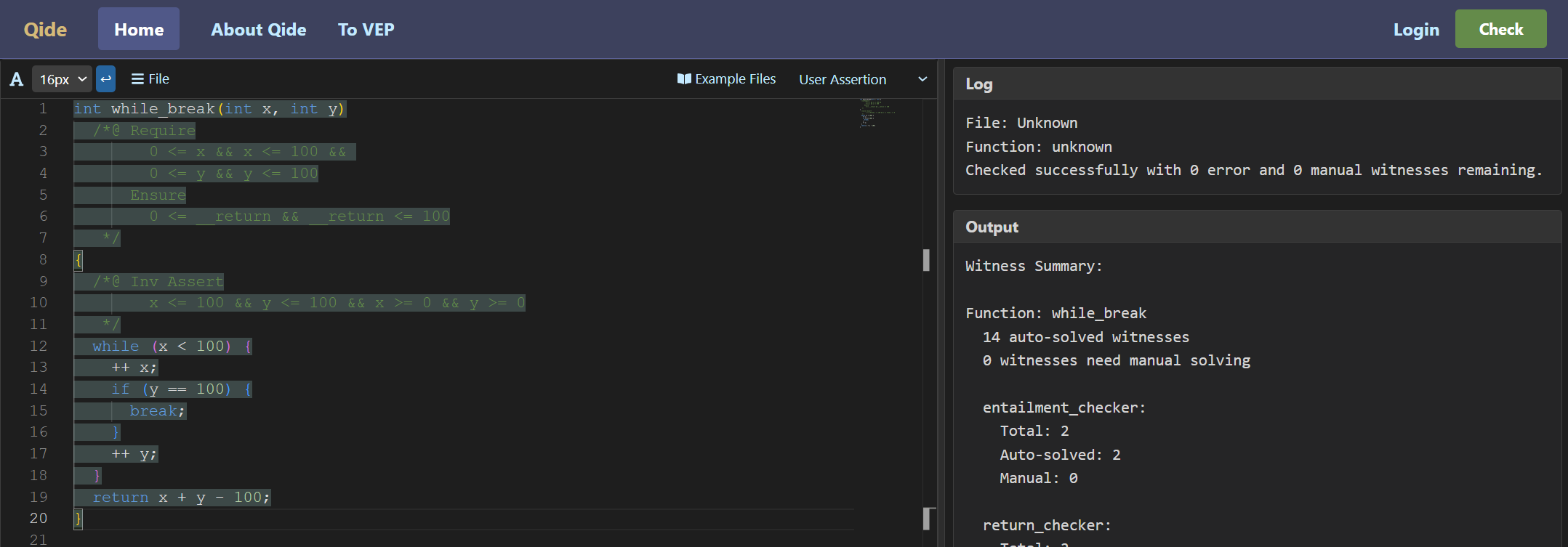
When QCP encounters a break while symbolically executing the loop body, it does not produce a Normal condition for that statement. It produces only a Break condition.
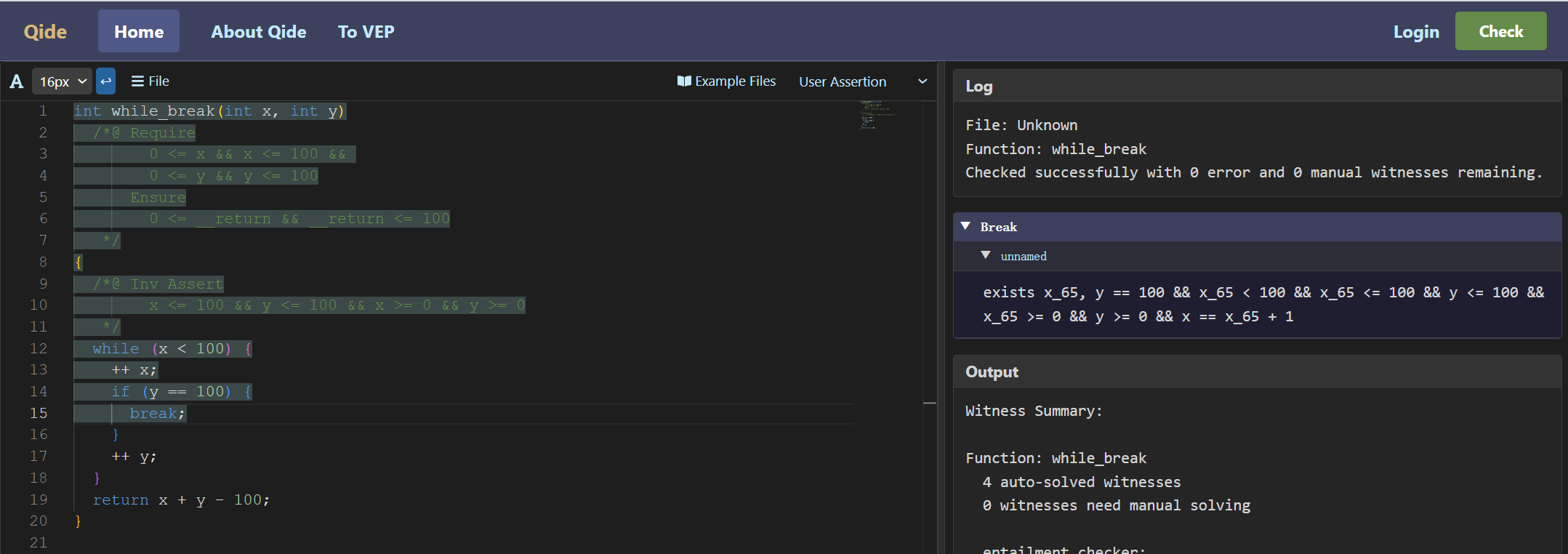
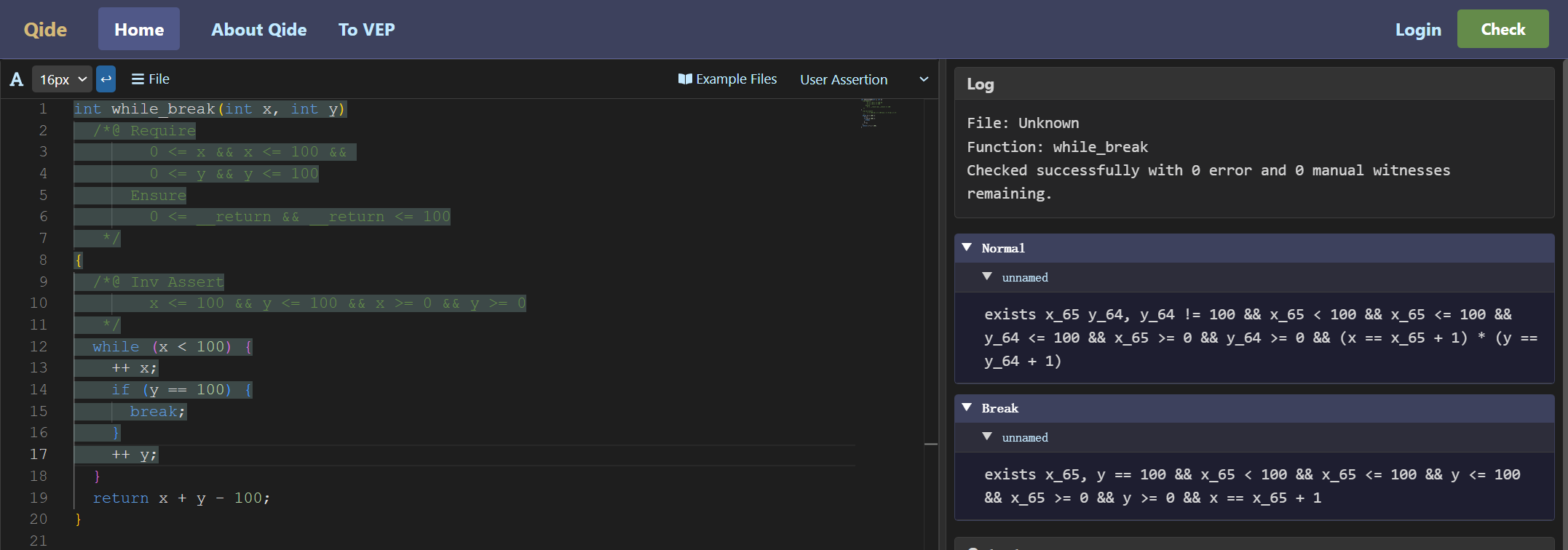
If symbolic execution reaches another branch of the loop body, QCP can show both the current branch's Normal condition and the whole loop body's collected Break condition.
Symbolic execution of continue is similar to break: while processing the loop body, QCP collects and displays Continue conditions. QCP also checks that every Continue condition implies the loop invariant.